How to send links in business SMS that don't get blocked
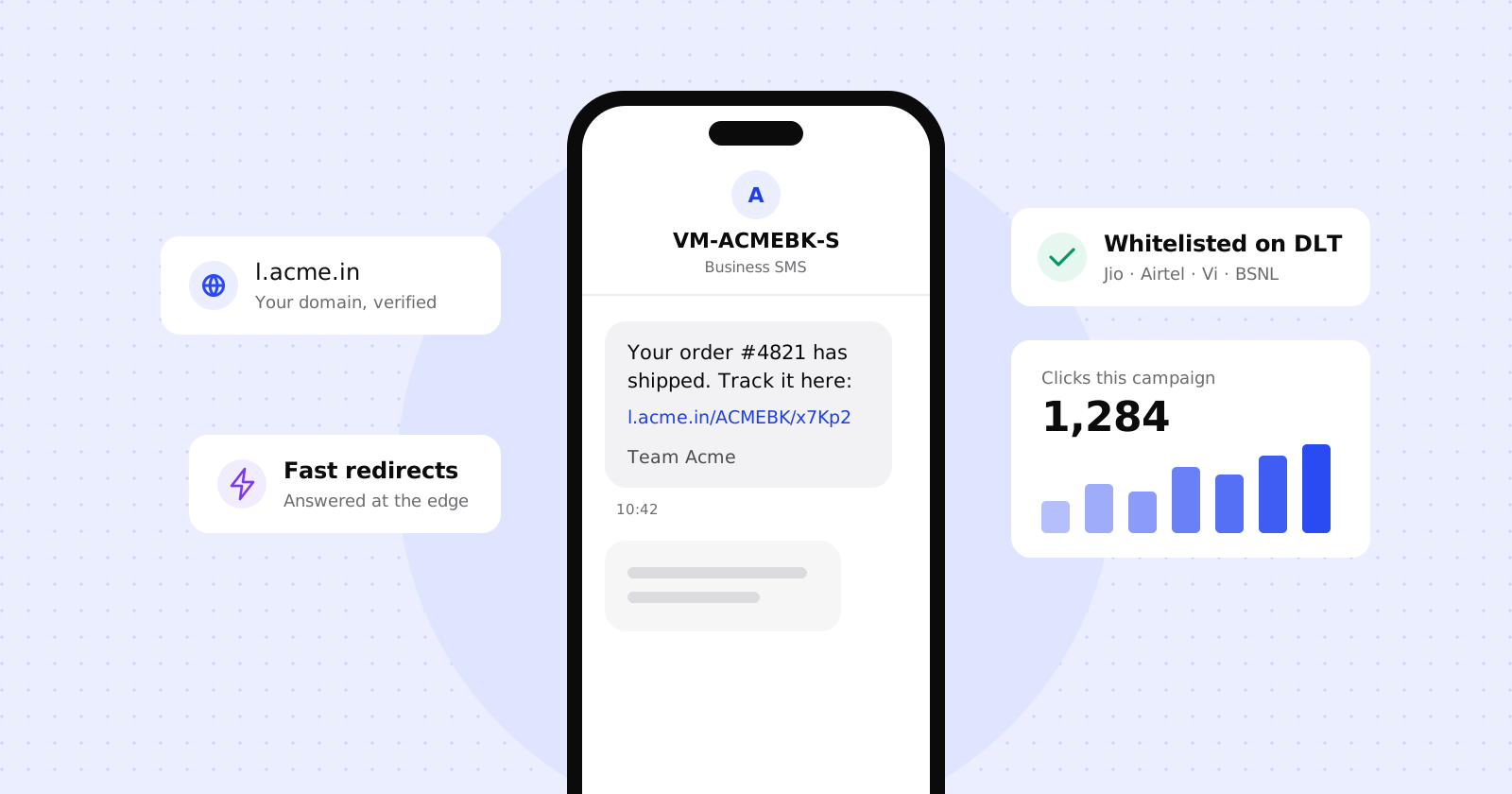
If your business sends SMS in India, you’ve probably seen a link that worked last year stop being delivered. That isn’t a glitch. Since 1 October 2024, operators block commercial messages whose links haven’t been whitelisted by the sender on the DLT platform.
The rule is simple to state and easy to trip over in practice. This guide covers what changed, what a link that gets through looks like and the steps to get there.
This is a practical overview, not legal advice. Operator requirements change, so check the latest notices on your DLT portal before you send.
What changed
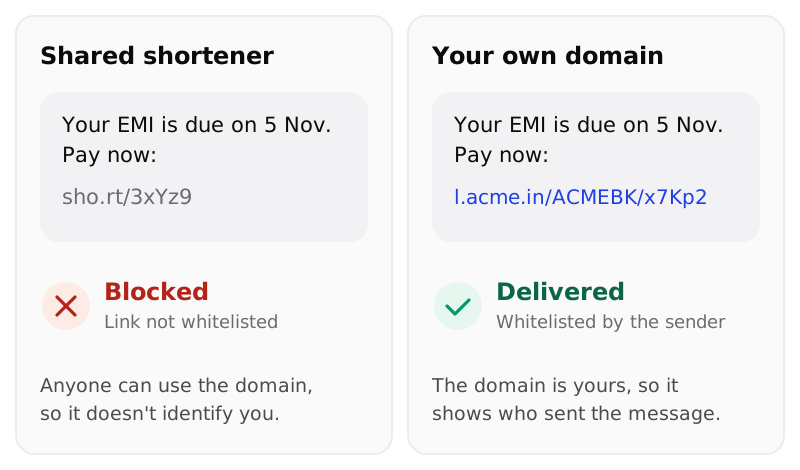
Under TRAI’s direction, every URL in a commercial SMS has to be registered on the DLT platform by the business sending it, the Principal Entity. Messages with links that aren’t on the list are blocked before they reach anyone’s phone.
That has a knock-on effect on short links. A shared shortener’s domain is used by thousands of unrelated senders, so it can’t tell the operator, or your customer, who sent the message. Links need to visibly belong to you.
What a compliant short link looks like
The safest pattern puts everything an operator needs to check into the link itself: your domain, your registered SMS header and a short key that identifies the individual link.
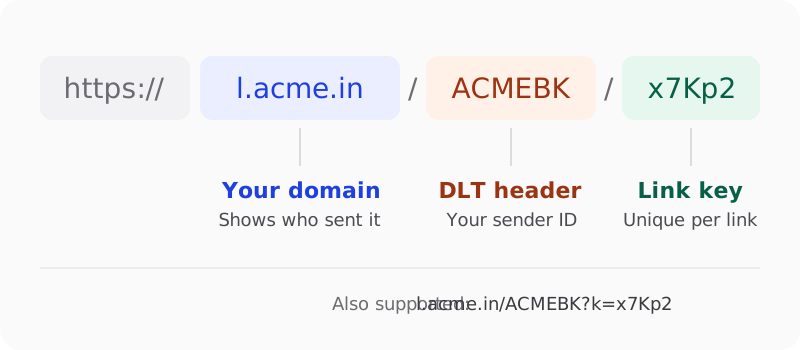
- Your domain. Use a short domain or subdomain you own, like
l.acme.in. It tells the customer who the message is from before they tap. - Your DLT header. Including the header you’re registered with, like
ACMEBK, ties the link to your sender ID and keeps links for different headers apart. - A link key. A few characters that identify the specific link, so one whitelisted pattern can cover many campaigns.
Some operators only accept a variable part after a ?. For those, the same link can be written as
l.acme.in/ACMEBK?k=x7Kp2, and both forms should land in the same place.
Four steps from link to inbox
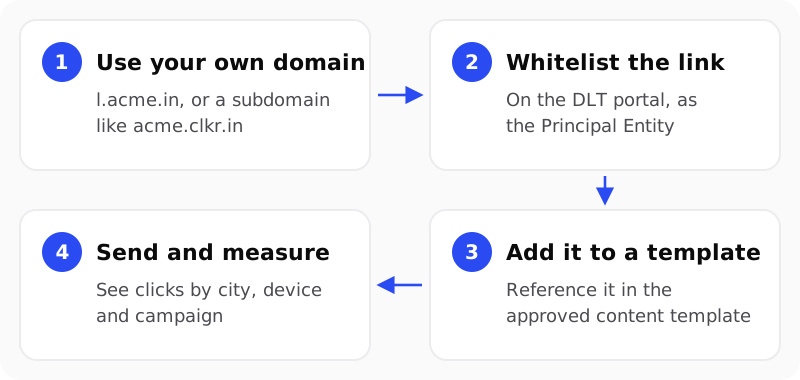
1. Use your own domain
Pick a short domain or subdomain just for links, like l.yourbrand.in or go.yourbrand.in.
Keeping it separate from your main website means you can point it at a link service without
touching anything else. Shorter is better: every character counts in an SMS.
2. Whitelist the link on DLT
Log in to the DLT portal you registered with as a Principal Entity and add your link pattern to the URL whitelist. Operators may also ask for the final destination the short link points to, so have those URLs ready.
3. Add it to your content template
Your approved content template has to match what you actually send, including the link. Put the fixed part of the URL in the template and the variable part, the link key, where your operator allows variables.
4. Send and measure
Send as usual. Because every link is yours, you can see which messages get tapped, from which cities and on which devices, without changing how you send.
Mistakes that get messages blocked
- Using a shared shortener. Even a whitelisted pattern on someone else’s domain is a gamble.
- Changing the domain without re-whitelisting. Moving from
go.acme.intol.acme.inis a new URL as far as the operator is concerned. - Mismatched templates. A link that differs from the template, even by a path segment, can fail the check.
- Sending people to an APK. Links that download app files are treated separately and need their own approval.
- Pointing links at destinations you haven’t declared. Keep the final destinations stable, and keep a record of every change.
How clkr.in helps
We’re building clkr.in around exactly this workflow. Links live on your domain, or on your own
subdomain like acme.clkr.in, and support both header-in-path formats. SMS links can only point to
destinations you’ve verified, and every change goes into an audit log you can export.
We’re also building DLT Assist, a screen that keeps your entity ID, headers and templates in one place, prepares the whitelisting entries for Jio, Airtel, Vi and BSNL, and tracks their status with each operator.
If you send SMS at scale and want early access, we’d love to talk.